Fintech
Mobile App
Lead UI/UX Designer
Project Overview
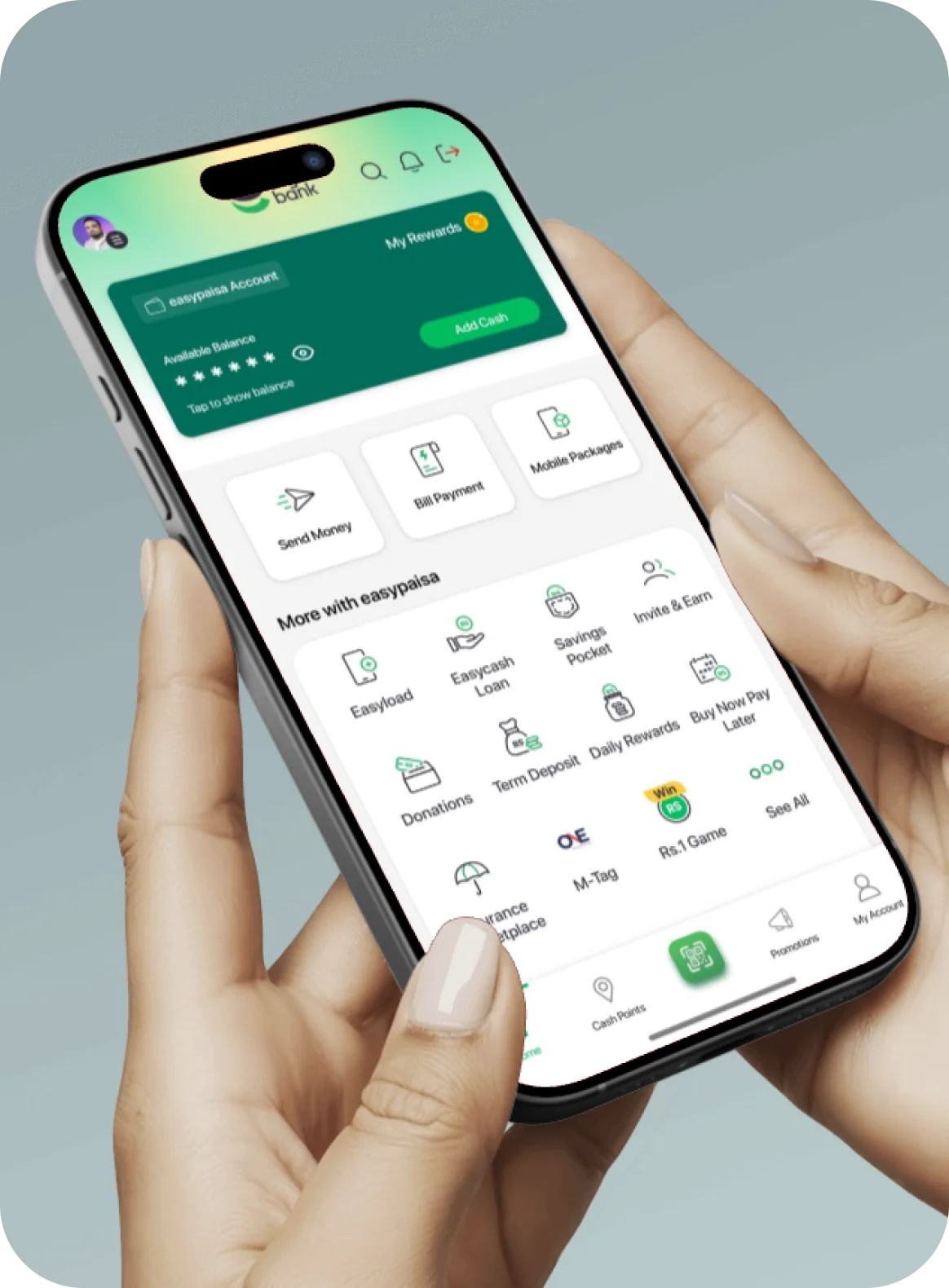
Easypaisa is Pakistan’s leading fintech platform with over 18.2 million+ active users, providing digital financial services including mobile payments, bill payments, money transfers, and more. As the Lead UI/UX Designer, I was responsible for redesigning the entire user experience to improve usability, accessibility, and conversion rates.
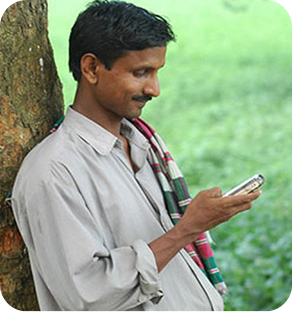
The project involved extensive user research, iterative design processes, and close collaboration with product managers, developers, and stakeholders to create an intuitive and delightful experience that cater to Pakistan’s diverse user base, from tech-savvy millennials to first-time digital payment users.

Challenge
Simplify complex financial operations for users with varying levels of digital literacy while maintaining security and trust

Solution
Created an intuitive, accessible user experience interface with clear information architecture, progressive disclosure, and localized design patterns

Impact
45% increase in user engagement, 60% reduction in transaction errors, and 4.5+ star rating on app stores
My Role & Responsibilities
Research & Strategy
Led user research, competitive analysis, and design strategy development
Ideation & Prototyping
Visual Design
Development Handoff
Development Handoff
Design Process
1
Empathize
2
Define
3
Ideate
4
Prototype
5
Test
6
Implement
Research & Discovery
Research Methods
User Interviews
50+ Users
In-depth interviews with existing and potential users to understand pain points and needs
Surveys
500+ Responses
Usability Testing
30+ Sessions
Competitive Analysis
10+ Apps
User Personas
Ahmed Khan
Medium Tech-Savvy
Goals
- Quickly send payments to suppliers
- Track business transactions
- Pay utility bills efficiently
Frustrations
- Quickly send payments to suppliers
Fatima Malik
Low Tech-Savvy
Goals
- Pay utility bills from home
- Send money to family members
- Understand transaction details clearly
Frustrations
- Confusing interface and terminology
- Worried about making mistakes
- Needs Urdu language support
Hassan Raza
High Tech-Savvy
Goals
- Split bills with friends
- Quick mobile top-ups
- Online shopping payments
Frustrations
- App feels outdated
- Slow loading times
- Limited payment options
Key Research Findings
Complex Navigation Structure
Slow Transaction Flow
Language & Literacy Barriers
Trust & Security Concerns
Information Architecture
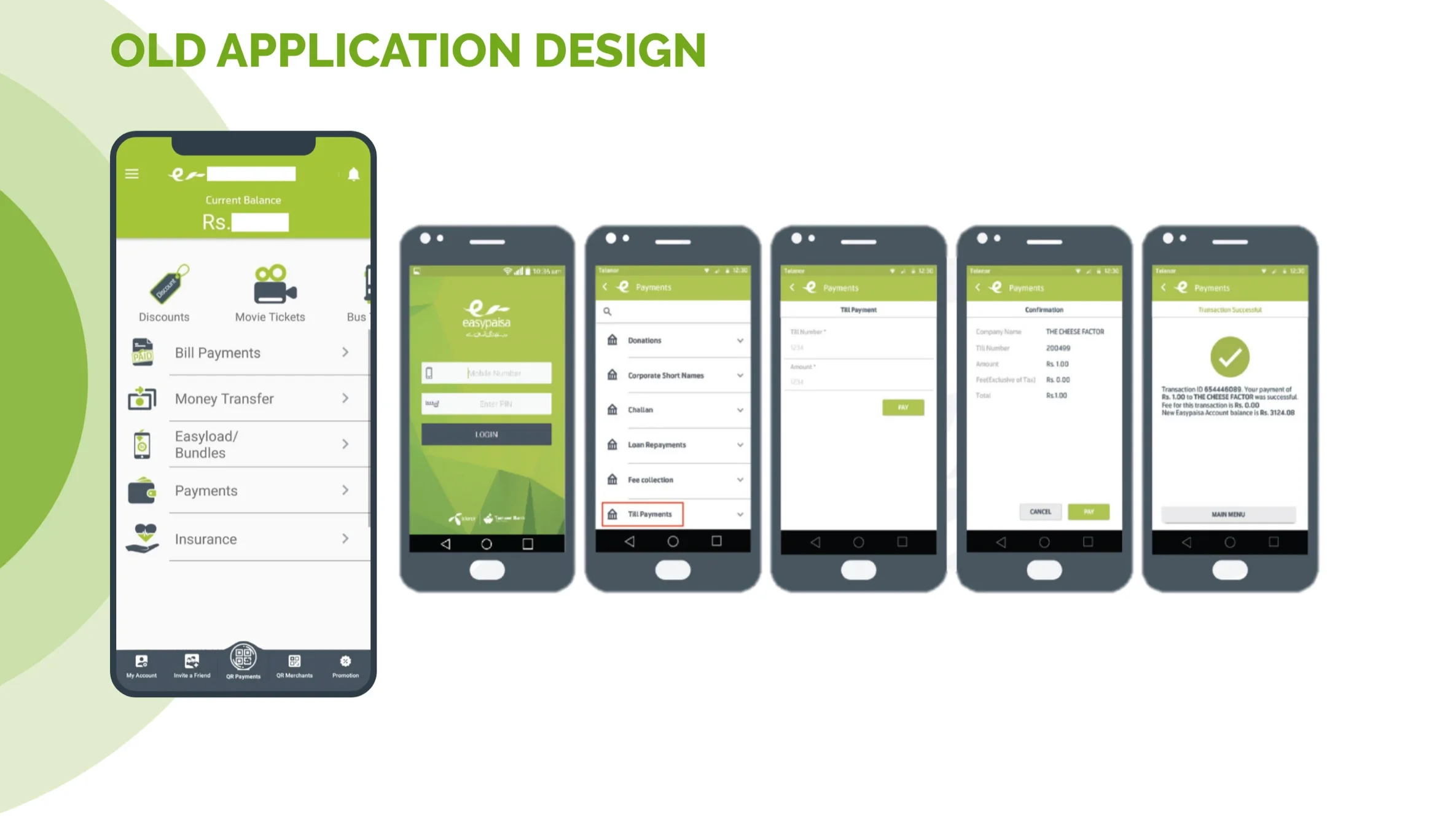
Before: Complex Structure
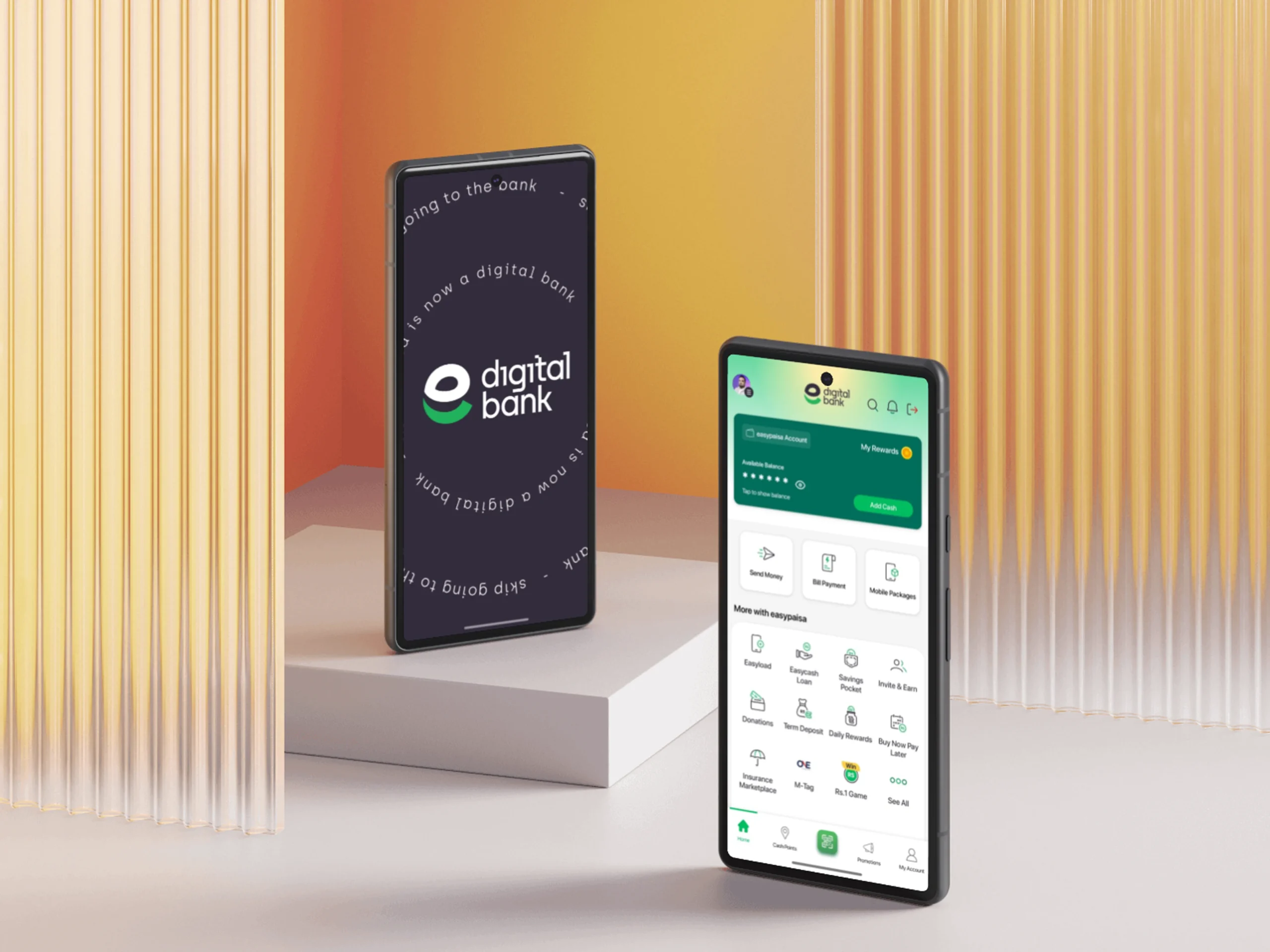
After: Simplified Structure
Flat hierarchy, clear labels, prominent features
- 5-6 clicks to complete common tasks
- Inconsistent navigation patterns
- Features buried in sub-menus
- Confusing category labels
- No clear visual hierarchy
- 2-3 clicks for most common tasks
- Consistent navigation throughout
- Key features on home screen
- Clear, user-friendly labels
- Strong visual hierarchy with cards
Home
Send Money
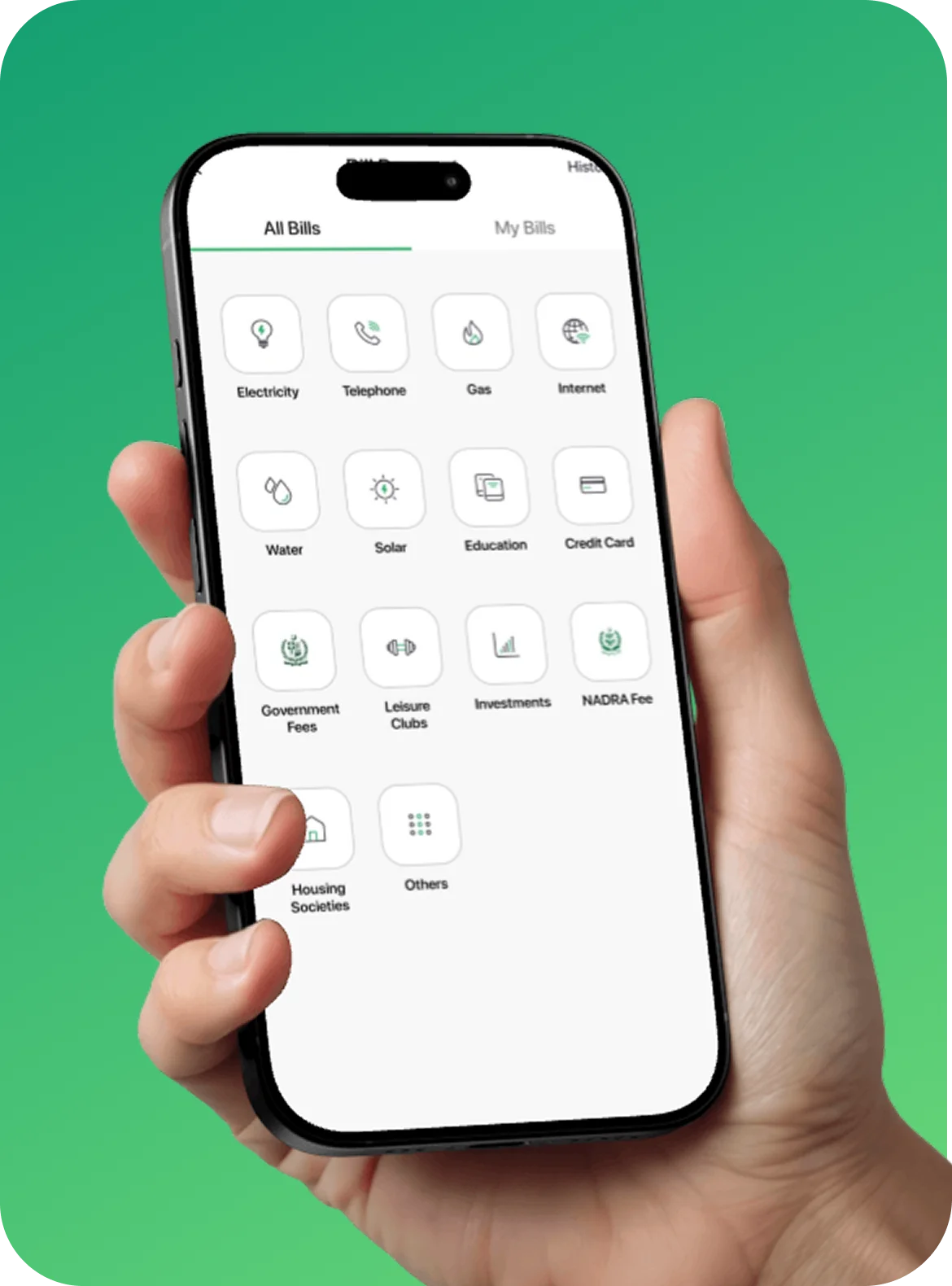
Pay Bills
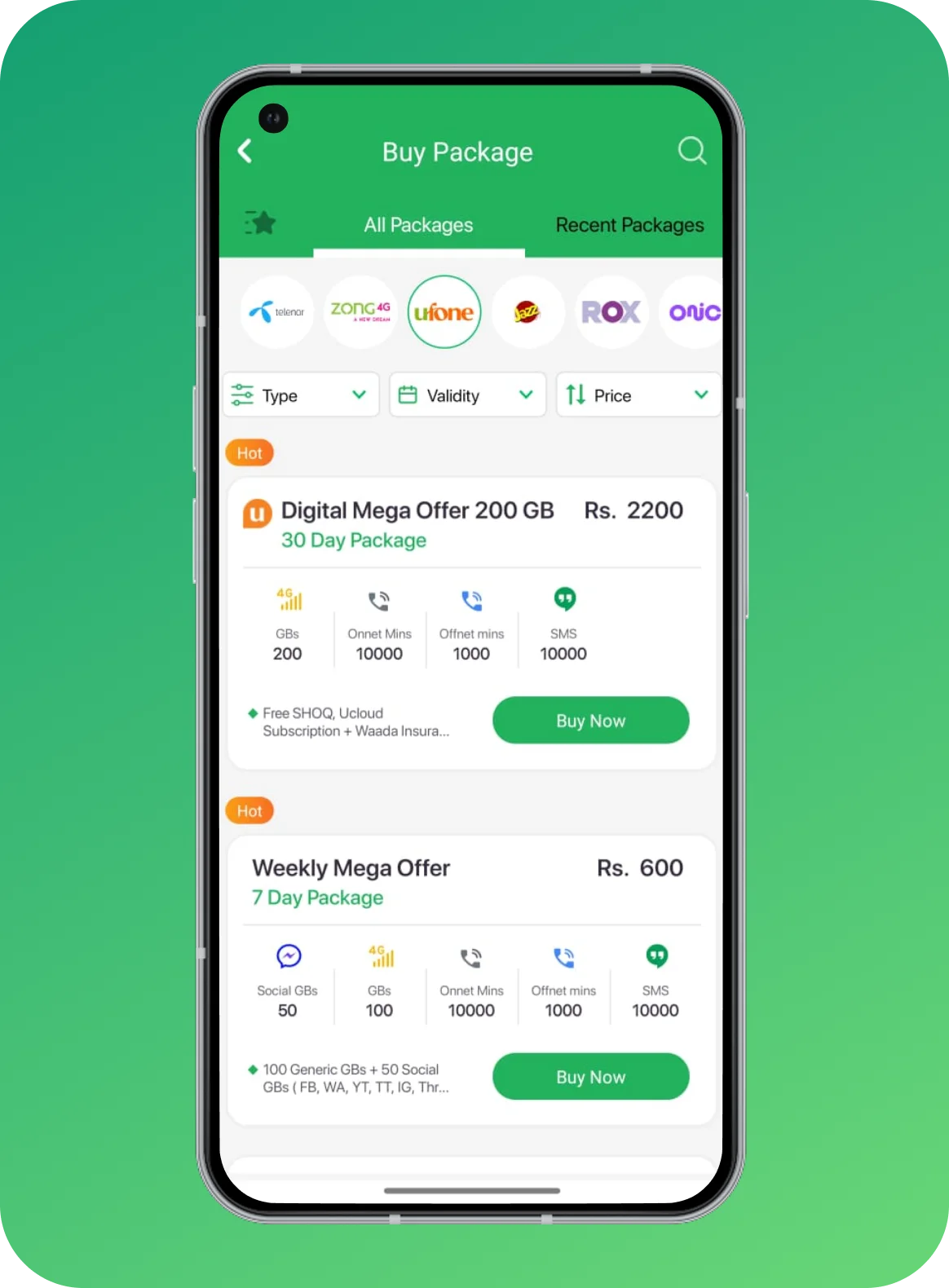
Mobile Top-up
Recent Transactions
Payments
Utility Bills
Education Fee
Internet
Insurance
My Account
Transaction History
Transaction History
Cards
Settings
More
Offers
Help & Support
Rewards
Refer & Earn
Wireframes & Prototyping

Challenge
Simplify complex financial operations for users with varying levels of digital literacy while maintaining security and trust

Solution
Created an intuitive, accessible user experience interface with clear information architecture, progressive disclosure, and localized design patterns

Impact
45% increase in user engagement, 60% reduction in transaction errors, and 4.5+ star rating on app stores

Key Prototype Features
Complex Navigation Structure
- Quickly send payments to suppliers
- Track business transactions
- Pay utility bills efficiently
Complex Navigation Structure
- Quickly send payments to suppliers
- Track business transactions
- Pay utility bills efficiently
Design System & Visual Language
Component Library
Basic Components
- Quickly send payments to suppliers
- Track business transactions
- Pay utility bills efficiently
Basic Components
- Quickly send payments to suppliers
- Track business transactions
- Pay utility bills efficiently
Basic Components
- Quickly send payments to suppliers
- Track business transactions
- Pay utility bills efficiently
High-Fidelity Designs
Key Design Features

Visual Design
- Clean, modern interface with brand-aligned colors
- Clear visual hierarchy using typography and spacing
- Custom icons and illustrations for better engagement
- Consistent design patterns across all screens

Interactions & Animations
- Smooth transitions between screens
- Micro-interactions for button states and feedback
- Loading states and skeleton screens
- Success animations for completed transactions

Accessibility
- WCAG 2.1 AA compliant color contrast ratios
- Large touch targets (minimum 44×44 pixels)
- Screen reader support with proper labeling
- Support for system font scaling

Localization
- Support for English and Urdu languages
- Right-to-left (RTL) layout support
- Culturally appropriate design elements
- Local currency formatting and conventions
Developer Handoff
Design Documentation
- Complete design specifications with measurements
- Component documentation with variants and states
- Color codes, typography, and spacing guidelines
- Asset exports in multiple formats and resolutions
Technical Specifications
- Interaction and animation specifications
- Responsive breakpoints and layout guidelines
- API integration requirements and data structures
- Error states and edge case handling
Quality Assurance
- Design QA checklist for developers to follow
- Regular design reviews during implementation
- Visual regression testing guidelines
- Feedback loops for addressing issues
Collaboration Process
- Regular sync meetings with development team
- Shared Figma files with developer access
- Slack channel for quick design clarifications
- Sprint planning participation and support
Handoff Success Metrics
Results & Impact
Daily active users and session duration significantly improved
Improved from 3.8 to 4.5 stars on both platforms
Clearer UI led to fewer user mistakes
Business Impact
User Satisfaction
- 89% positive user feedback
- 72% found app easier to use
- NPS score improved by 28 points
Operational Efficiency
- 50% reduction in support tickets
- 40% faster transaction completion
- 85% task success rate
Revenue Growth
- 35% increase in transaction volume
- Higher user retention rate
- Expanded user demographics
Home
Send Money
Send Money
Send Money
Send Money
Home
Send Money
Send Money
Send Money
Send Money
Home
Send Money
Send Money
Send Money
Send Money
Home
Send Money
Send Money
Send Money
Send Money
User Testimonials
Key Learnings & Reflections
Context Matters
Designing for Pakistan's market required understanding local payment behaviors, digital literacy levels, and cultural nuances. What works globally doesn't always work locally.
Empathy-Driven Design
Spending time with diverse user groups revealed insights that surveys alone couldn't capture. Direct observation of how people interact with financial apps was invaluable.
Balancing Simplicity & Functionality
The challenge was making powerful features accessible without overwhelming users. Progressive disclosure and smart defaults were key to achieving this balance.
Collaboration is Critical
Regular communication with developers, product managers, and stakeholders ensured alignment and prevented costly redesigns during implementation.
Challenges Overcome
Challenge: Diverse Digital Literacy Levels
Solution: Created intuitive iconography, clear labels, and contextual help throughout the app. Added optional tutorials and tooltips.
Challenge: Security vs. Convenience
Solution: Implemented biometric authentication, smart security layers that appear only when needed, and clear security indicators.
Challenge: Complex Feature Set
Solution: Reorganized features by user goals rather than business structure. Used personalization to surface relevant features for each user.
Challenge: Legacy System Constraints
Solution: Worked closely with engineering to find creative solutions. Prioritized changes that delivered maximum UX impact with minimum technical debt.
What I'd Do Differently
- Conduct more accessibility testing with users who have disabilities to ensure inclusivity
- Involve developers earlier in the design process to better understand technical constraints
- Create more comprehensive documentation about design decisions for future team members
- Set up more robust analytics tracking from day one to measure impact more precisely
Project Conclusion
- User Research
- Persona Development
- User Journey Mapping
- Information Architecture
- Wireframing
- Prototyping
- Usability Testing
- Visual Design
- Design Systems
- Figma
- Adobe XD
- Sketch
- InVision
- Maze
- A/B Testing
- Analytics